It is possible to manually copy the encrypted backup data from WirelessProfessional from the internal backup USB stick to another external storage medium. WLPROSAFE is the internal backup USB stick and the ‘backup’ and ‘ltbackup’ folders must be copied. Detailed instructions can be found in the manual from page 54 in chapter 16.2 Manual Backup.
Restoring backup data
Backups should only be restored by a sufficiently qualified and authorised person. To restore a long-term backup created by WLZENT04, use the backup restoration tool. See appendix.
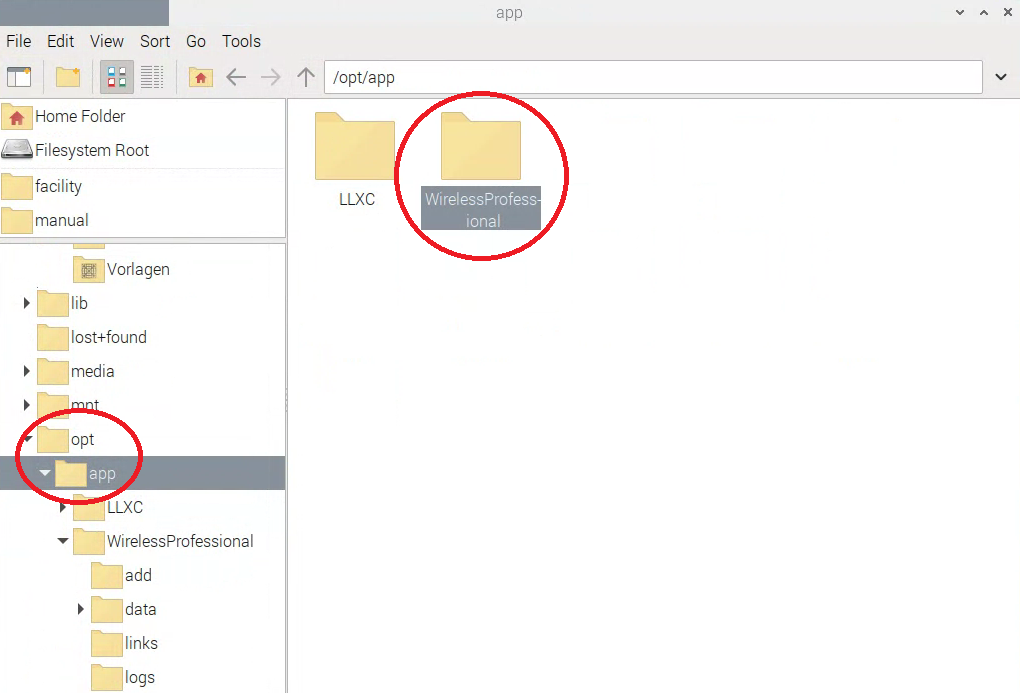
If you need to provide a backup for RP, please back up the ‘WirelessProfessional’ folder under
opt -> app